Inkwell
A theme for shops that sell digital products: planners and printables, design templates and brand kits, photo presets and LUTs, Notion templates, SVG and cut files, and ebooks. It works the way files sell: shoppers want to see inside before they buy, to know which license they need and what the file works with, and to hear that it arrives the minute they pay. It looks like a stationery studio desk: a natural paper page, products set on it as paper sheets with a soft shadow and a folded corner, collections as folders with an index tab, a bookish serif over a warm sans, and a deep notebook‑cover band behind the announcement bar, the freebie and the footer.
One theme, four color palettes.
Pick one in Theme settings › Colors. Change any single color to make an exception.
Switch at any time
The palettes are one setting, not separate installs. Two are light and two are dark, and you can override any of their fourteen colors.
Checked for contrast
Every text and control color is measured against WCAG AA contrast on the backgrounds the theme uses, the cover band included.
Quiet paper motion
Cards lift and corners fold, and all of it switches off for visitors who prefer reduced motion. The folded corners and the paper details (washi tape, sticky notes and pen notes) have switches of their own.
Three presets, one theme.
Each preset is a complete starting store, with its own home page, palette and fonts. Every section, block and setting is in all three.
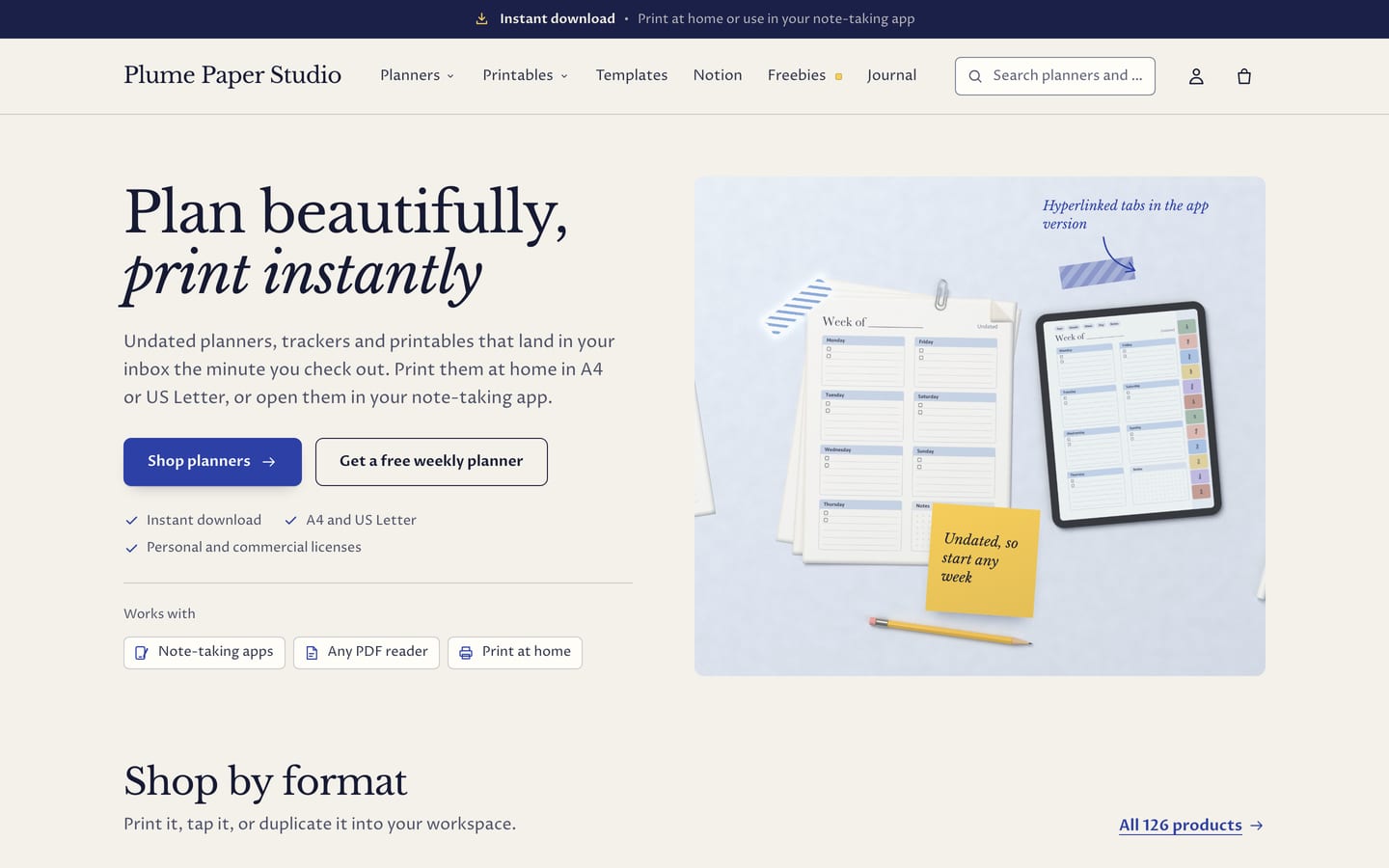
Inkwell
For planners and printables, with a flat lay hero, Shop by format folders, bestsellers with page counts, a “Look inside before you buy” open spread, the freebie opt‑in, How it works in three steps and testimonials on ruled index cards.
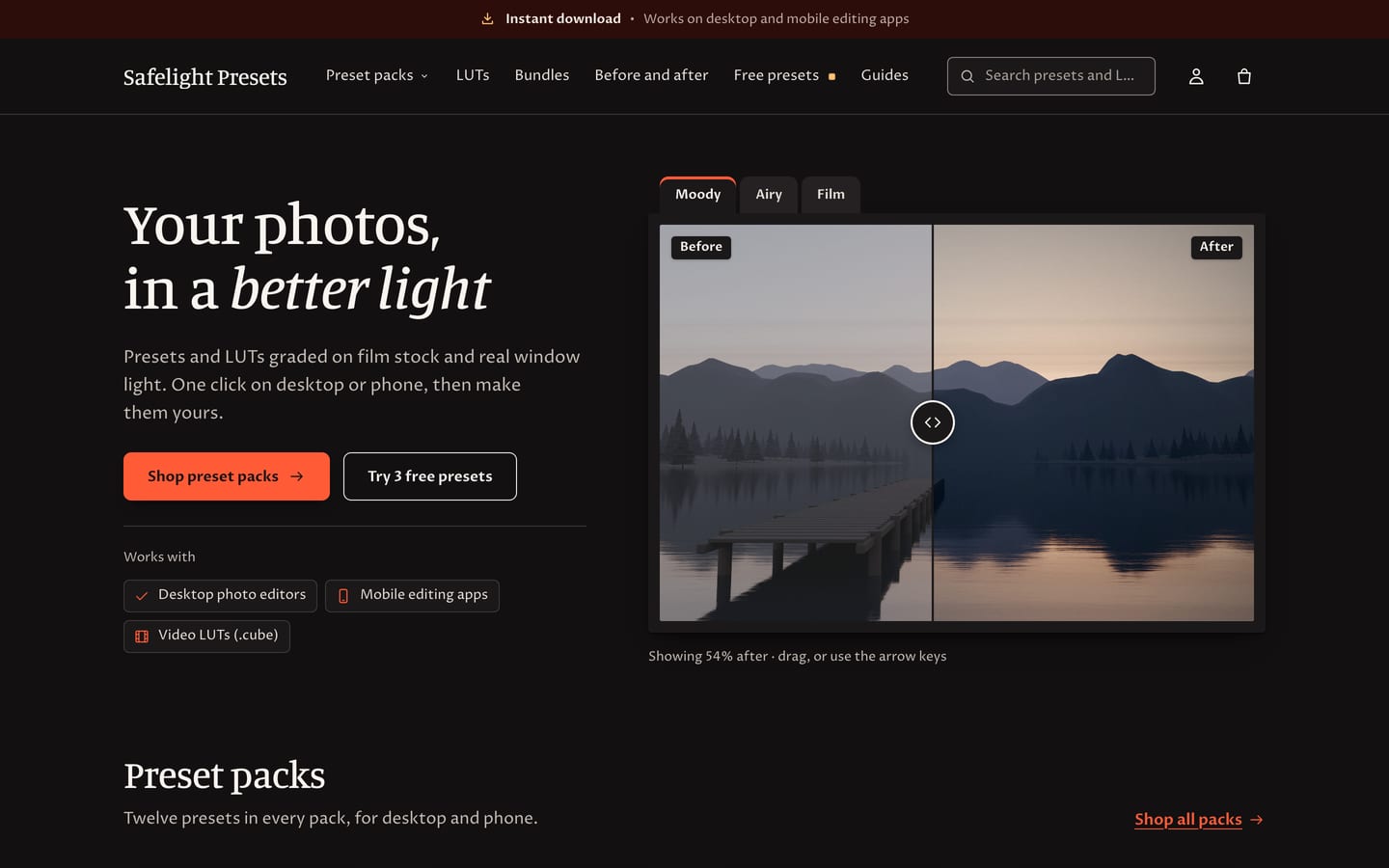
Shutter
For photo presets and LUTs, with a before and after hero with three looks, preset packs, a “Works where you edit” row, a Before and after section with four tabs, a bundle and the freebie opt‑in.
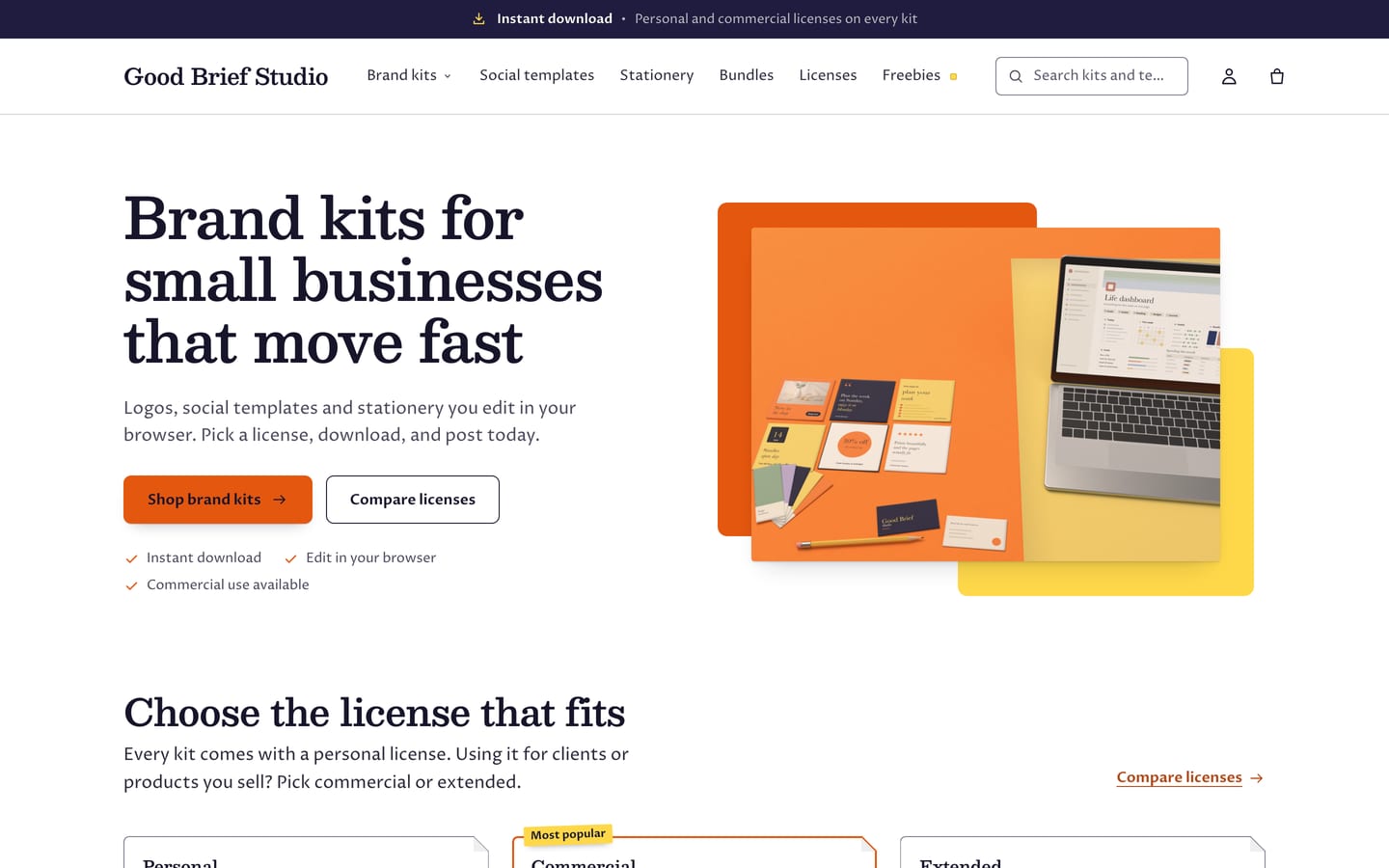
Studio
For design templates, brand kits and small‑business stationery, with a color blocks hero, the License guide up front, Shop by kit folders, new arrivals, a bundle and an open spread of a kit’s pages.
Built for the way files sell.
All four are built in, with no app. Preview pages, the What’s included list and before and after images read product metafields, and license text a license metaobject, that you set up once. Until that data is there, those parts stay hidden or fall back to section settings, so nothing shows half‑empty.
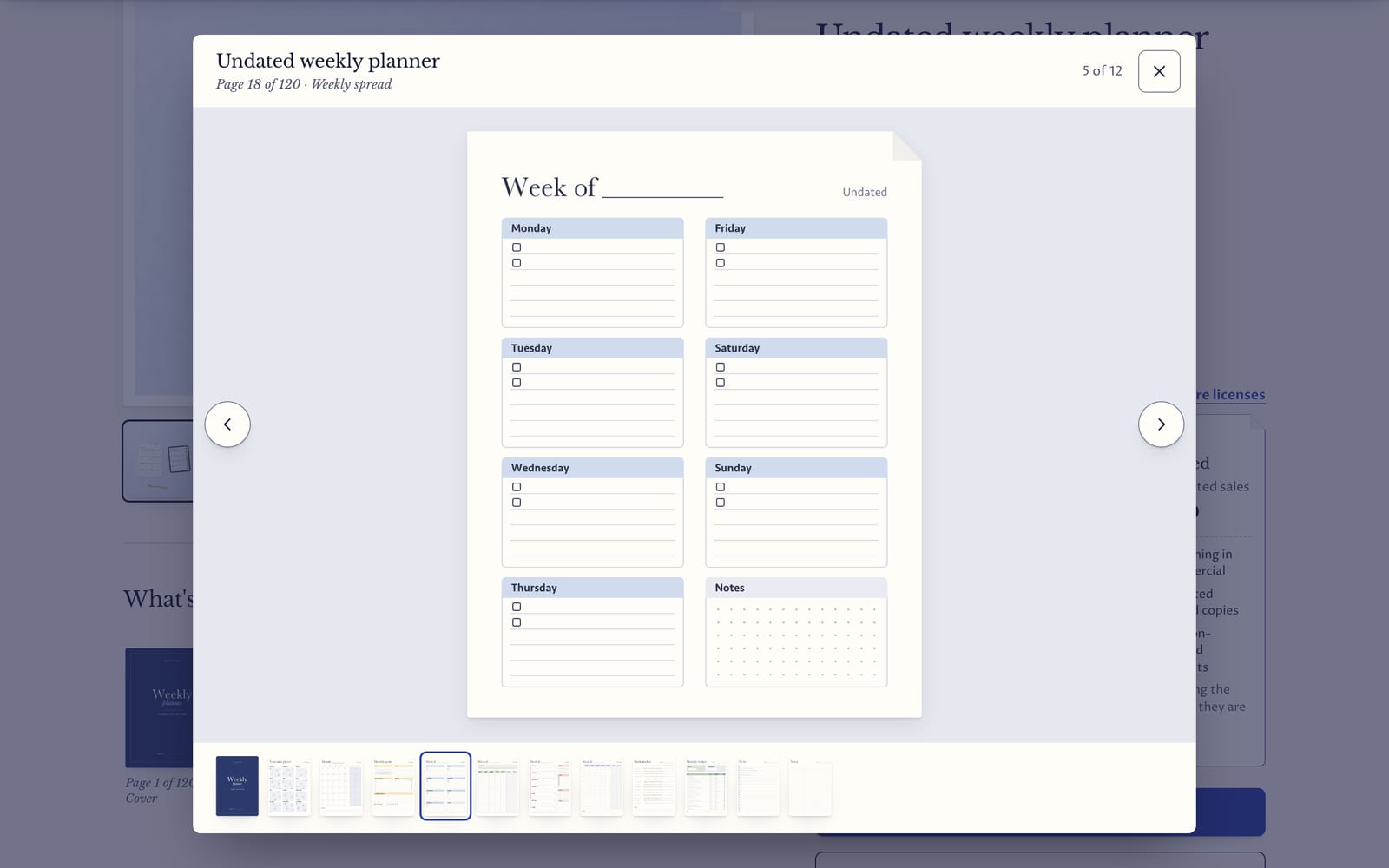
What’s inside, with a flip‑through
A strip of preview pages under the product photos, each labeled (“Page 18 of 120 · Weekly spread”), with a Flip through button and a ticked What’s included checklist under it. Any page opens a full‑screen flip‑through: turn pages with the arrow keys, by swiping on a phone or with the buttons and thumbnails, and close it with Esc. Add the pages from one product metafield, or upload them to the product with alt text that starts with #inside: they stay out of the gallery and the tag never shows. On the home page, a featured product can show its pages as an open book spread.
License tiers as cards
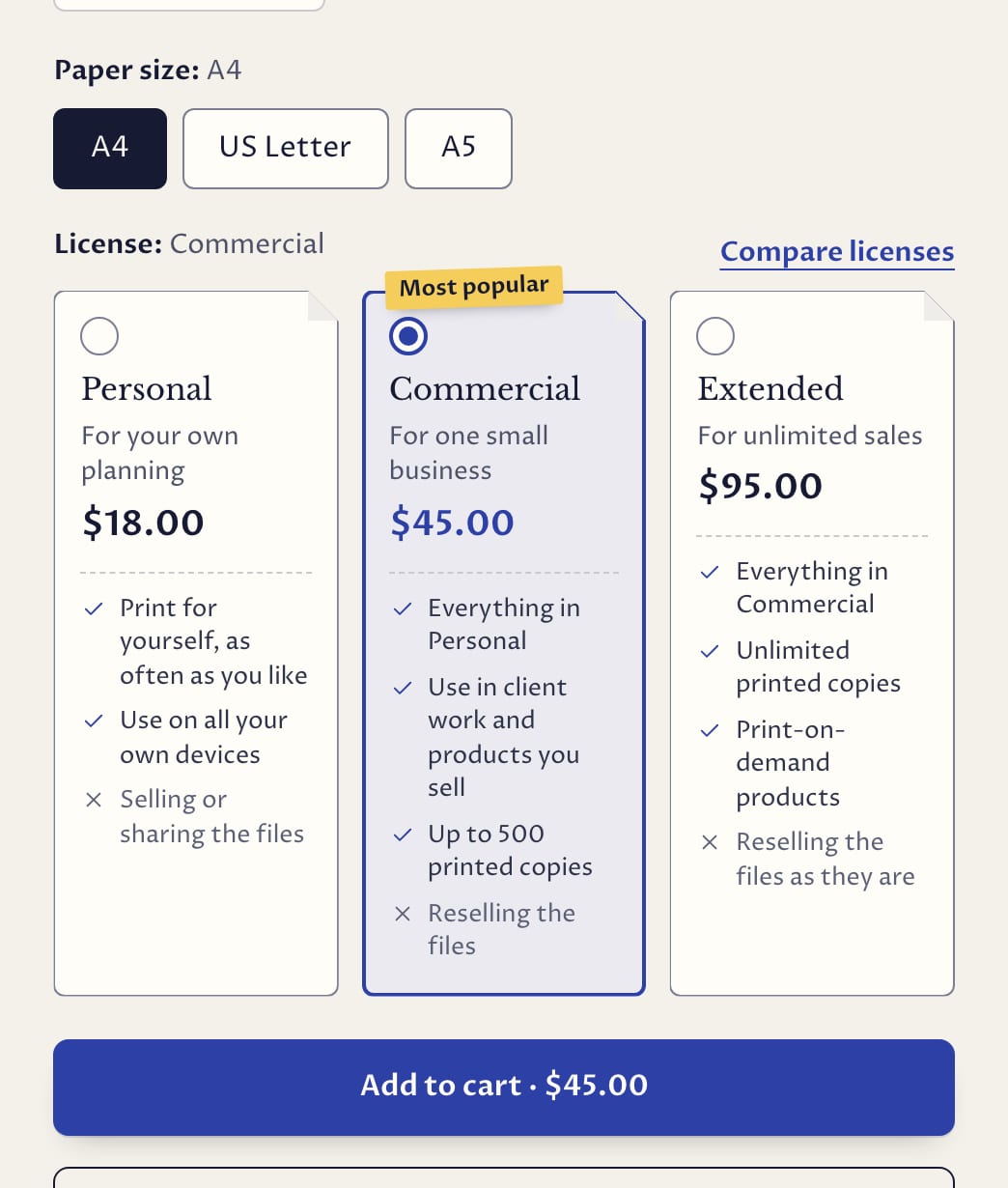
A License option shows as cards instead of small buttons, each with its name, who it’s for, its price and what it allows (ticked) and doesn’t (crossed), and a Most popular tag on the one you highlight. Choosing a card updates the price and the Add to cart button. Compare licenses opens a side‑by‑side table built from the same text, with a Choose button per license. Write your licenses once, as license entries in your Shopify admin or in the theme editor, and every product uses them. A License guide section and a Licenses page template show them anywhere.
Before and after
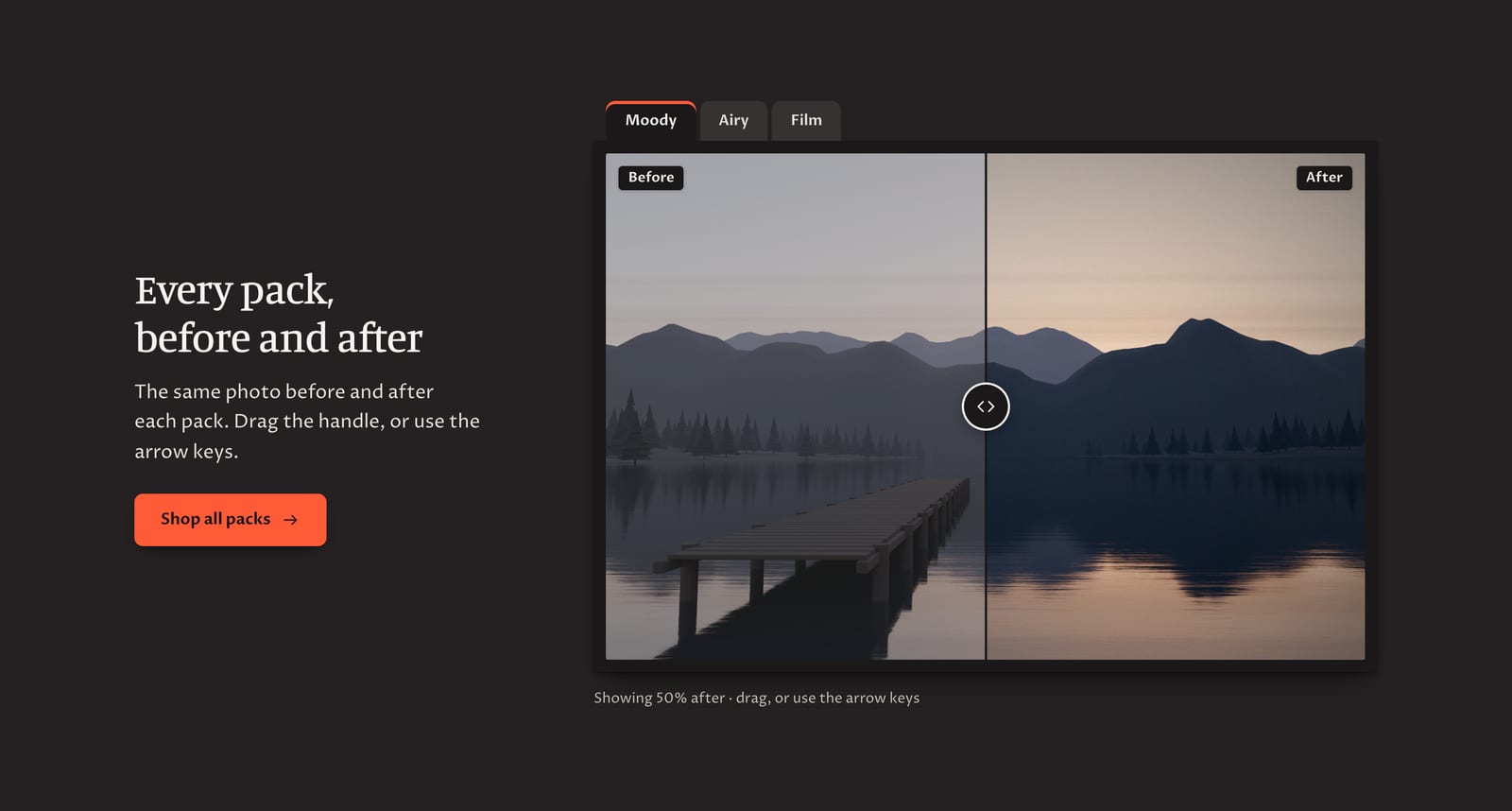
The same photo before and after a preset or edit, framed like a print, with a handle shoppers drag (or move with the keyboard) and tabs for several looks (“Moody · Airy · Film”). Use it as a home page section, as the hero, or on a product page from two product images. It never moves by itself.
A freebie that reveals a download
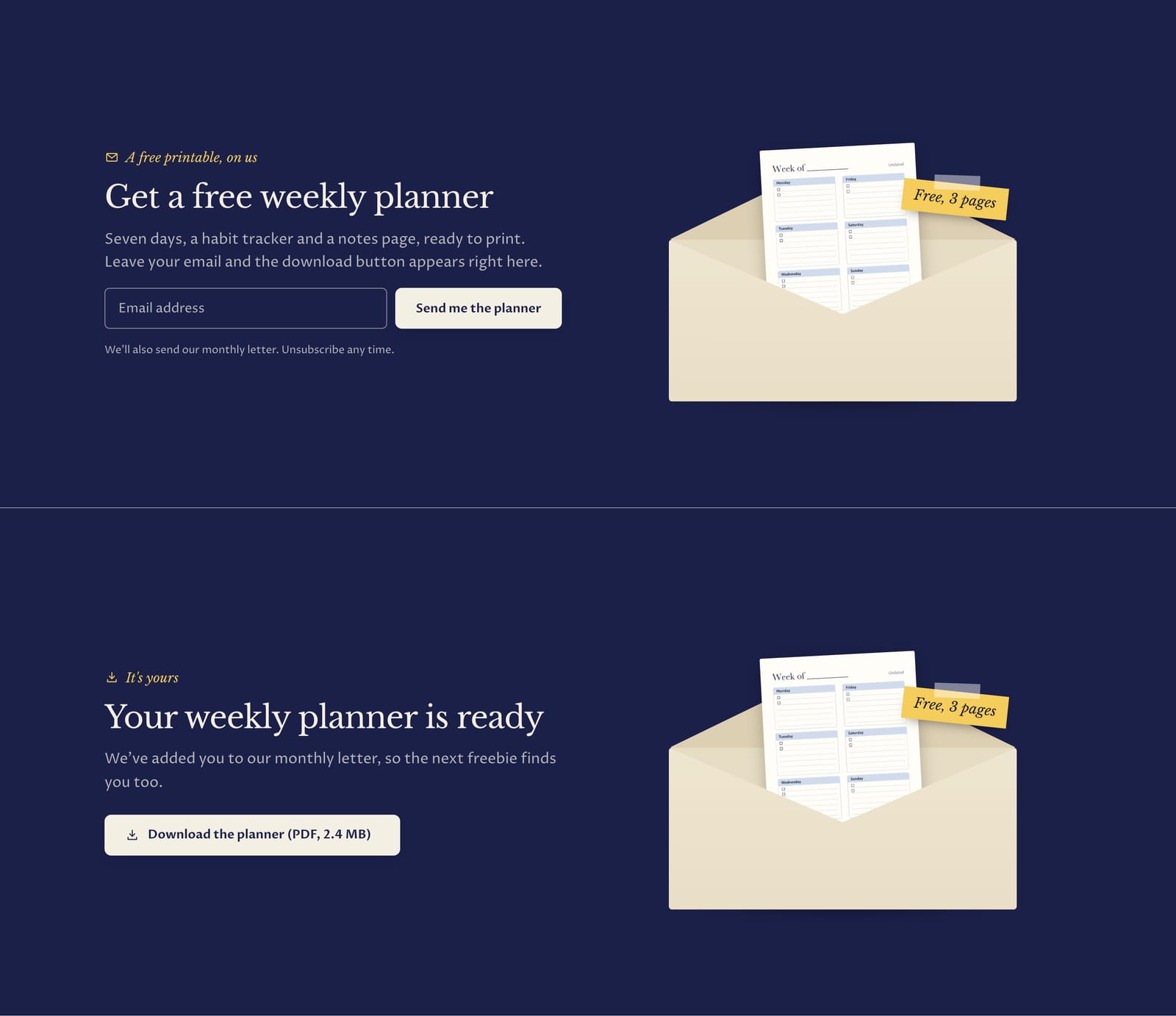
An email sign‑up that reveals a download. Shoppers leave their email, and the form turns into a thank‑you with a download button for the free file you upload in Shopify. Sign‑ups are tagged so you can see who took which freebie, and an envelope with your free page sliding out of it sits beside the form. It’s a simple honor‑system gate, not secure delivery: anyone with the link can download the file, so use it for files you give away.
What’s in the theme.
Everything below ships in version 1.0.0, and the documentation covers every section and setting.
Pages and sections
- An announcement bar on the cover band with an icon and a bold lead (“Instant download”), messages taking turns, and an optional countdown to a real deadline
- A one‑row header with a mega menu and promo sheets, a highlighted menu link (such as Freebies) and a search field with live suggestions, sticky when shoppers scroll up
- Hero: flat lay, before and after, color blocks or a full‑width image
- Slideshow, featured collection, featured product (gallery or open spread), collections as folders, sheets or images, before and after, license guide, image with text, How it works, bundles, shop the flat lay, as featured in, testimonials on index cards, FAQ, newsletter and freebie, blog posts, rich text and custom Liquid
- Licenses, contact and compare page templates, a 404 page and a password page
Product page
- A gallery on a folded sheet with zoom, video and 3D models, with What’s inside and before and after under it
- License cards, and Add to cart with the price in it
- A sticky add‑to‑cart bar, The details (format, pages, file size and delivery), collapsible rows and back‑in‑stock requests
- Pre‑orders, gift card recipients, and subscriptions with a subscriptions app
- “Pairs well with” recommendations
Instant download and Works with
- An Instant download badge on product cards, on the product page (with “No physical item will be shipped”), in quick view and in the cart
- Page counts on cards (“120 pages”)
- Works with chips (Note‑taking apps, Any PDF reader, Print at home), each with a generic icon, never another company’s logo
- Quantity selectors, stock and pickup lines hide for downloads
Collections and search
- Product cards as paper sheets with a 4:5, square or 4:3 photo, a second image on hover, quick add, quick view and swatches
- Up to two badges (Save, Free, Bestseller, New, Sold out), plus Instant download, the page count and rating stars
- Filters, in a drawer on phones, that update without reloading the page
- Compare up to three products
Cart
- Cart drawer and cart page with Instant download badges and a note that says when files arrive
- An order note and, for stores that also ship, a free‑shipping message
Trade and B2B
- Quantity rules, volume pricing and a quick order list for Shopify’s B2B features
Accessibility and languages
- Every palette measured against WCAG AA contrast, the cover band included
- Keyboard friendly: the flip‑through, license cards and slider all work from the keyboard
- Motion that stops when visitors reduce it
- Right‑to‑left languages
At a glance.
- Version
- 1.0.0, an instant download from Etsy
- In the download
- Three theme files, one per preset (Inkwell, Shutter and Studio), a user guide (PDF, 47 pages) and a license for one store
- Built on
- Online Store 2.0
- Color palettes
- Four in one theme: Paper, Ink, Darkroom and Pop (two light, two dark)
- Fonts
- Libre Baskerville and Proza Libre, Manuale and Proza Libre, or Besley and Proza Libre, depending on the preset. Font pickers for headings and body text, a base text size and three page widths.
- You’ll need
- A Shopify store on any plan that can publish a theme, and a computer to upload it (phones can’t upload theme files). To deliver your files, Shopify’s free Digital Downloads app or another delivery app. Filters and complementary product recommendations need Shopify’s free Search & Discovery app.
- Your data
- Inkwell shows your files; it doesn’t deliver them. Shopify’s free Digital Downloads app emails each customer their files and puts them on their order page right after checkout, and the user guide shows how to set it up, including a different file per license. Preview pages, the What’s included list, format, page count, file size, Works with and before and after images read product metafields, and license text reads a license metaobject, that you set up once, with no app; the user guide walks you through it. License cards appear on products with an option named License or Licence (or your own name for it). The license text that ships with the theme is sample wording, not legal advice.
- Support
- Message us on Etsy or email hello@buglyph.com. We reply within two business days, Monday to Friday, Australian Eastern Time.
Documentation and support.
Documentation
Installing the theme, every section and setting, and setting up Inkwell’s data, chapter by chapter. The same guide comes as a PDF in the download.
Support
Questions, bugs and setup help. Message us on Etsy or email us. We reply within two business days, Monday to Friday, Australian Eastern Time.
Inkwell
Sold on Etsy as an instant download. Each purchase licenses one Shopify store.